

MSc dissertation · in build
AtlasExtract
A desktop app that turns listing pages into clean, structured data — without anyone having to write a scraper.
open a page · describe the fields · get a table · keep the recipe
One job
page → datasetThe page you are on
signed in, filtered, ready
Description
“job title, company, salary”
Your session · handed inward, never re-fetched
Three passes · vision, the card, the fields
Extraction recipe
saved · versioned · replays without AI
The problem
Scrapers break silently. That is the real cost.
The usual way
A one-off script, hand-written per site. The page changes, the selector rots, and the output is quietly wrong — often long before anyone notices. And it cannot get past a login or a cookie wall without holding your password.
This way
You set the page up yourself — sign in, accept what you want, search — then describe the fields in plain English. The saved recipe replays on that page later without calling an AI at all.
A decision worth defending
Why it is a desktop app, and not a website.
The pages worth extracting from often sit behind a login, and everyone’s cookie and privacy preferences are their own. As a website, this tool would have had to hold people’s logins on a server. I was not willing to build that.
You sign in, not the server
You log in inside the app’s own browser panel. The session is stored only in the app’s profile on your machine — and a Clear site data control shows exactly which sites hold data, and wipes the lot.
The engine did not change
It takes a page and a description, and gives back rows. That is why moving from a website to a desktop app never touched it — and why it still runs headless, with no interface at all, for batch testing.
Getting the page out
The obvious approach — posting the page to the local engine — fails on real sites: large ones publish a policy of where their pages may send data, and a local engine is never on it. Indeed blocked it outright.
So the page sends itself inward, over the app’s own message channel. Not a network request — so the site’s policy has no say.
Three passes
A vision pass, then two extraction passes.
The model never touches raw HTML blind. It looks at the rendered page first, then reasons over a shortlist of repeating elements — so each pass has a job small enough to check. Step through them:
Pass 0 — Vision
Looks at the page like a person would. It extracts nothing — it only reports what it sees.
In
A screenshot taken at 40% zoom, so several whole cards fit in frame.
Out
The kind of page, roughly how many cards are visible, and a couple of lines copied word for word off the first cards.
The shared object
The second run is free.
Whichever attempt wins, the selector and the rows are saved as a recipe. The model proposes it once; after that the same page runs as repeatable code — no AI call, no fresh guess, no new bill.
Container selector
the repeating element that holds one listing card
The rows
what came back, so the run can be compared against the next one
Field description
the plain English you asked for, kept with the recipe
Version
every revision kept, so you can see what changed and why
Which attempt won
automatic, wider net, or your click
robots.txt verdict
recorded on the job, not hidden
When it fails
It escalates. It does not pretend.
Most extraction tools return an empty list and call it a day. AtlasExtract makes three attempts instead — widening the search, feeding the failure back into the prompt, and finally asking you to point at the data.
Still nothing? The job is flagged for manual review — never quietly returned empty.
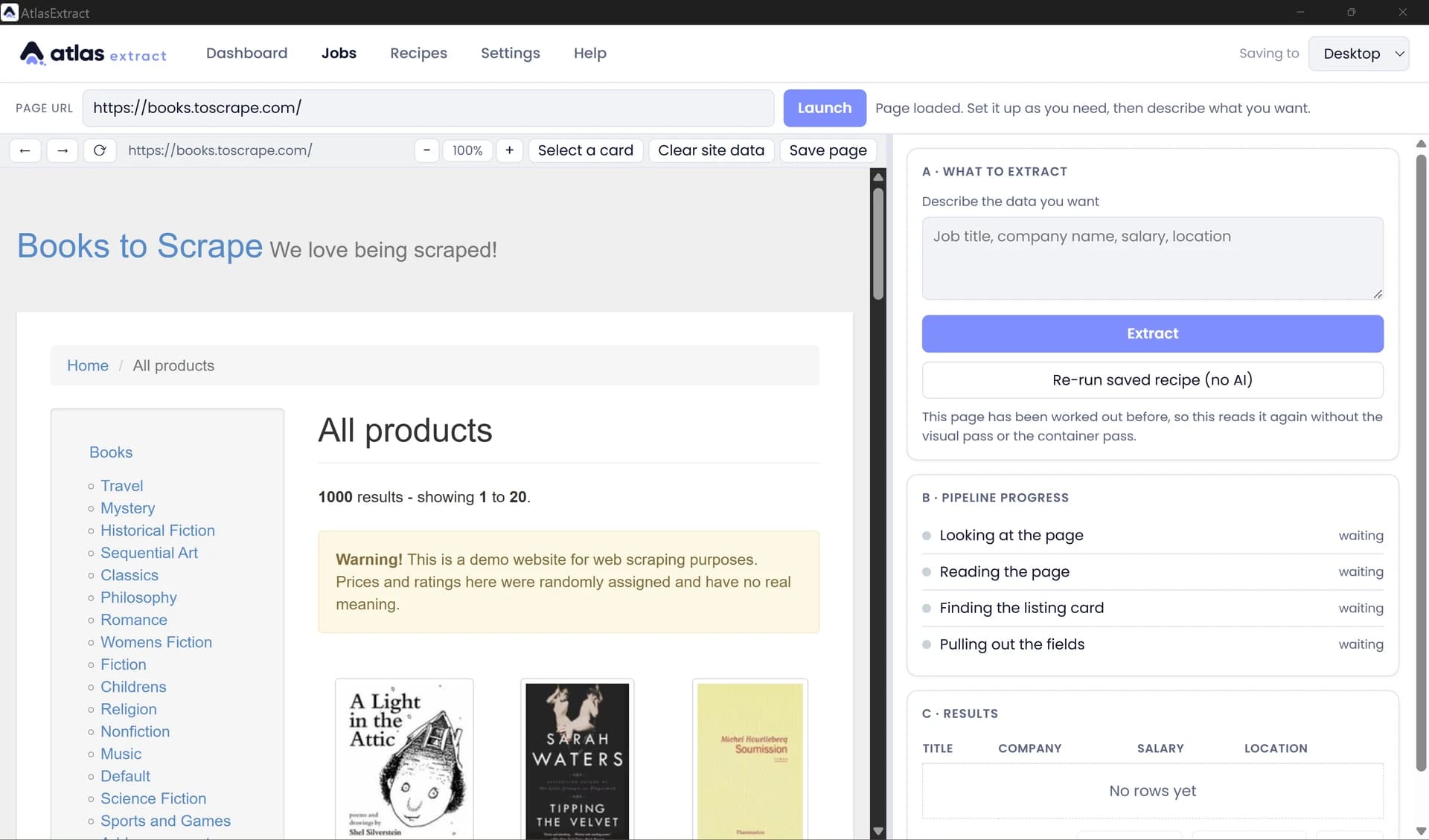
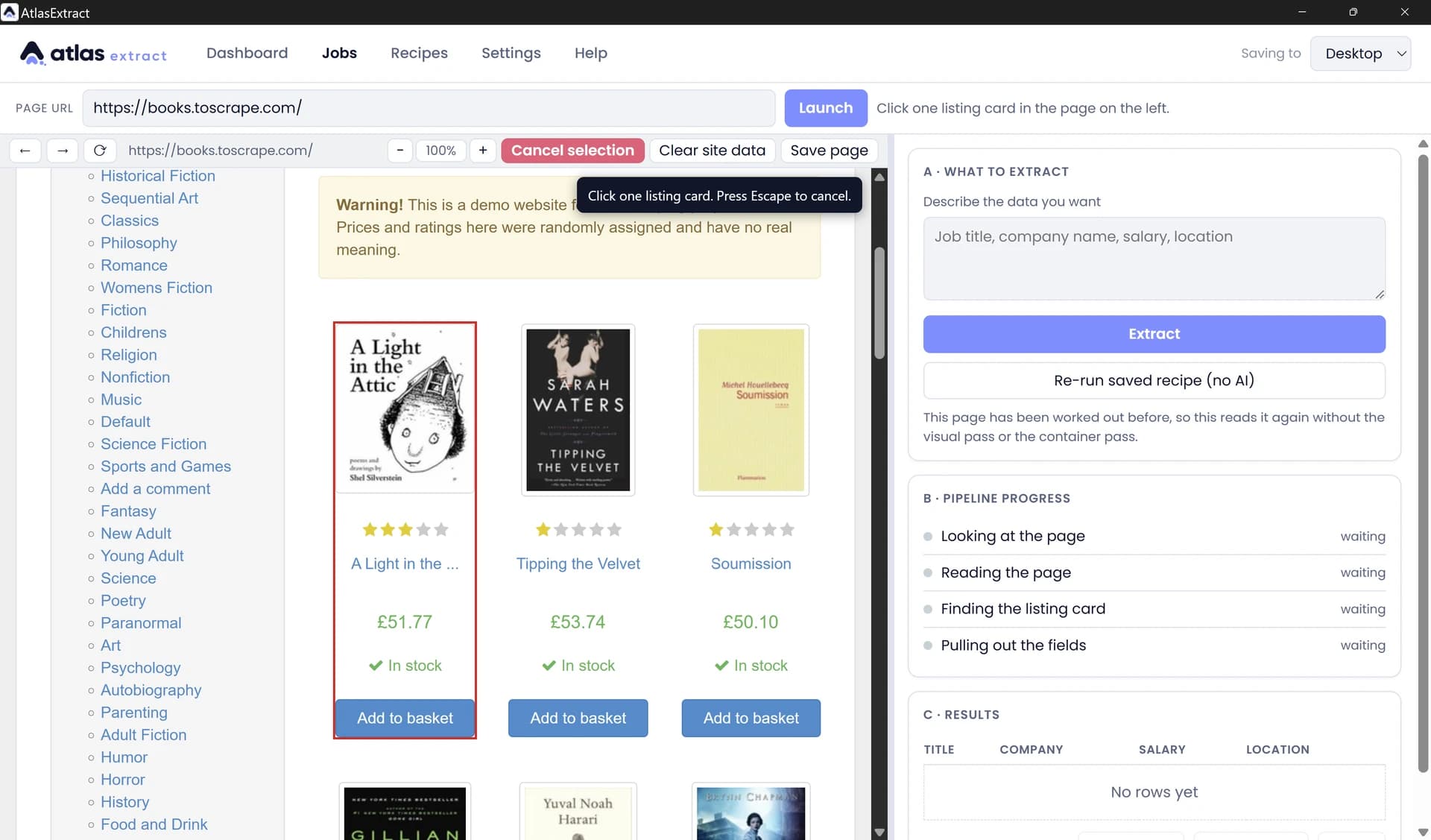
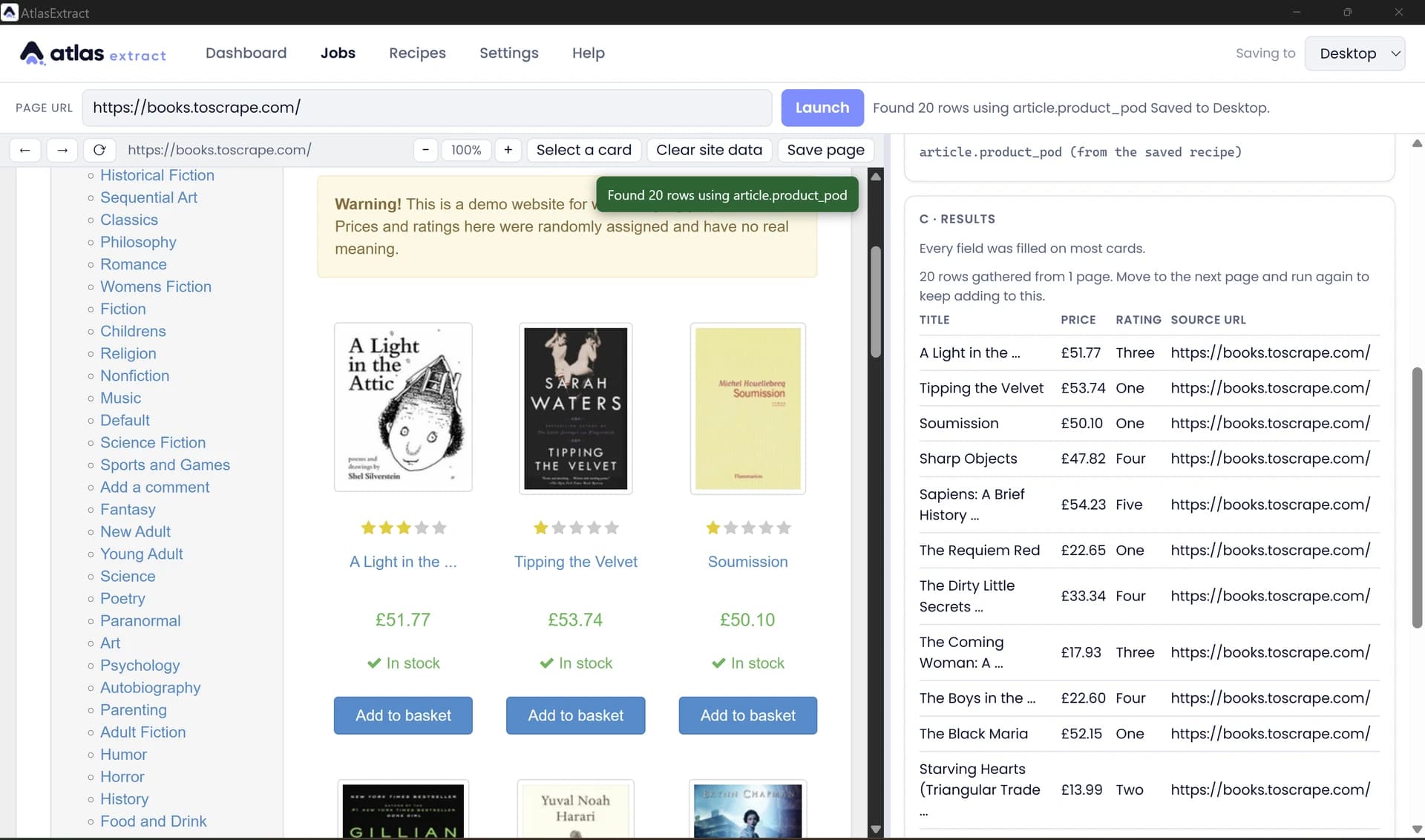
The running app
This is the thing, working.
Captured from the packaged desktop app on a public demo site. The four pipeline steps in the right-hand rail are the three passes, named in plain English.
Architecture
From a live page to a validated table.
01 · Your browser panel
- Tauri 2 · WebView2
- You sign in, accept cookies, search
- Session stays on your machine
- Clear site data control
02 · Understand
- build_dom_snapshot — page to a size budget
- build_candidates — repeats 2–120×
- find_anchor_match — article › li › section › div
- container_text — card flattened to text
03 · Extract
- Pass 0 · vision
- Pass 1 · the card
- Pass 2 · the fields
- Three attempts
04 · Keep
- Recipe saved — reruns need no AI
- Every version kept
- SQLite in your app data folder
- CSV / JSON export
Stack
In scope
- Listing-style pages: job boards, property and event listings, public directories, tabular indexes.
- Pages behind a login — as long as you are the one who signs in.
- Recipes that re-run without calling an AI at all.
- Every version kept, plus CSV / JSON export.
Deliberately out of scope
- Solving CAPTCHAs.
- Handling your credentials, or logging in on your behalf.
- Getting around paywalls, or hiding from anti-bot systems.
- Crawling at scale.
Public or authorised data only — honours robots.txt, per-domain rate limits, and access controls.
Want the dissertation, or a walkthrough of the pipeline?
Happy to share the architecture, the failure cases, and what I learned building it.